Hayley Roberts · 4 August 2026
Gemini AI Photo Prompts: 15 Copy & Paste Prompts to Turn One Selfie into a Professional Photoshoot
15 copy and paste Gemini AI photo prompts that turn one ordinary selfie into LinkedIn headshots, studio portraits, retro looks and clean fixes. Every image is the unedited output of the exact prompt above it, all made from the same single input photo.
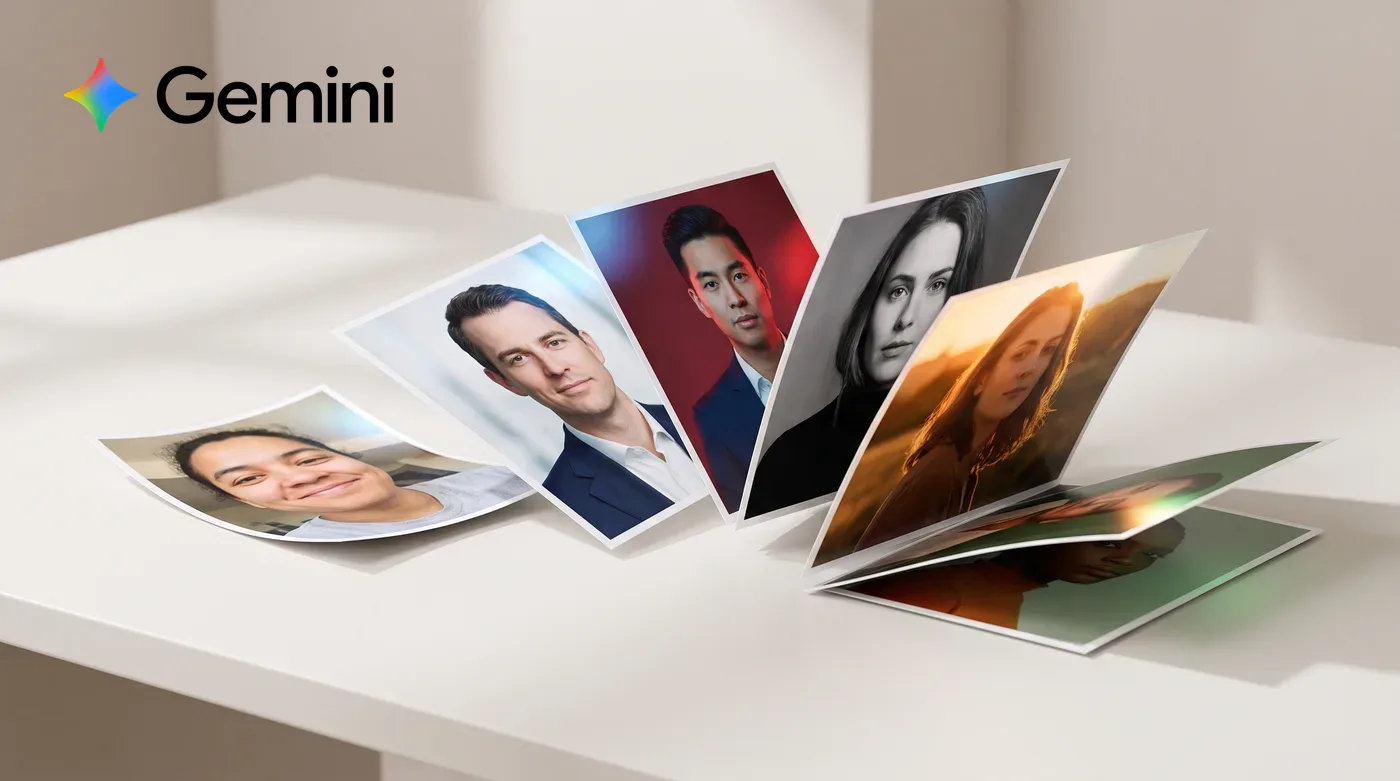
After we published our Gemini image prompts for marketing, the questions that came back were nearly all about one thing: photos of people. Can it do my LinkedIn headshot? Can it make our team page match? Can it fix the one photo I actually like of myself?
Yes, yes and yes... and it all hangs on a single line of prompt:
"Keep the same face and preserve the original identity exactly."
That line is the difference between getting a polished photo of you and getting a polished photo of a stranger with your haircut. Every prompt below opens with it. You attach one photo in Gemini, paste a prompt, and the model treats your face as the thing it must not change while it rebuilds everything around it.
The rules of this post (and our slightly awkward volunteer)
Same deal as last time: every image below is the unedited output of the exact prompt printed above it, and this time they were all made from the same single input photo. No cherry-picking across models, no retouching after.
One honest disclosure: our "selfie" volunteer doesn't exist. We generated him, precisely so we could publish his face without borrowing a real person's. Here he is: a deliberately ordinary, slightly-too-low-angle, bad-living-room-lighting selfie, because that's what most of us are actually starting from.

To use any prompt: open Gemini, attach your photo (the sharpest one you have), paste the prompt, and go. Right, to the library.
The professional set
The photos that do professional heavy lifting: LinkedIn, the team page, press and events. 4 prompts, one selfie, no photographer's diary required.
1. The LinkedIn headshot
The prompt:
Keep the same face and preserve the original identity exactly.

Turn this selfie into a professional LinkedIn headshot. Dress him in a charcoal knitted crew-neck over a white tee, against a softly blurred modern office background in warm neutral tones with a hint of greenery. Soft window light from the left, a gentle catchlight in the eyes, natural confident smile.

Crisp focus on the eyes, shallow depth of field, true-to-life skin texture with no airbrushed plastic finish. Framed from the chest up with headroom.

No text, no logos, no watermarks.
The first line is the whole trick: without it, models drift towards a generic handsome stranger. With it, you get the same person on a better day. "No airbrushed plastic finish" keeps the skin believable, which is what makes a headshot trustworthy.
2. The team-page portrait
The prompt:
Keep the same face and preserve the original identity exactly.

Recreate this person as a corporate team-page portrait against a plain light-grey seamless studio background. Navy unstructured blazer over a plain white t-shirt, even soft key light with subtle fill, posture turned slightly off-axis with a warm genuine expression.

The colour, framing and lighting must look like one shot from a consistent studio set, so that other people photographed with this same prompt would sit beside it perfectly on a website team page. Chest-up framing, generous headroom.

No text, no logos.
The consistency instruction is the useful part. Run every team member’s photo through this exact prompt and you get a matching set without booking a studio day — the same trick we use for product grids, applied to people.
3. The founder press shot
The prompt:
Keep the same face and preserve the original identity exactly.

Turn this into an editorial founder portrait for a business magazine feature. He wears a casual navy overshirt and sits at the corner of a wooden desk in a bright loft office, arms loosely folded, big window light raking in from one side, a soft shadow falling across the wall behind him. Confident, thoughtful, approachable.

Shot on an 85mm lens with shallow depth of field and an editorial colour grade, natural skin texture. Half-body composition with calm space to one side where a pull quote could sit.

No text, no logos.
Naming the use ("a business magazine feature") sets a whole bundle of decisions: pose, grade, framing. And asking for pull-quote space is the same designer habit as headline space in ad creative — it makes the output usable, not just nice.
4. The conference speaker shot
The prompt:
Keep the same face and preserve the original identity exactly.

Show this person mid-talk on a conference stage: dark smart-casual outfit, a small lavalier microphone clipped to his collar, one hand raised in a natural explaining gesture. Warm stage spotlights from above, a softly blurred dark auditorium with bokeh stage lights behind him.

Candid event-photography energy, slight grain, shallow depth of field. He is caught mid-sentence, engaged and animated, not posing.

Any screens behind him stay abstract and out of focus. No readable text anywhere, no logos.
Speaker photos are social proof, and hardly anyone has a good one. "Caught mid-sentence, not posing" is the line that sells it; the abstract-screens rule stops the model inventing a gibberish slide deck behind you.
The photoshoot set
The looks you'd book an actual photoshoot for. Same face, four completely different set-ups, including the formal 2x2 that half the internet is currently searching for.
5. The studio editorial
The prompt:
Keep the same face and preserve the original identity exactly.

A bold studio portrait against a solid warm coral seamless backdrop. Plain black t-shirt, confident direct gaze into the camera, subtle rim light separating him from the background, crisp beauty lighting from the front.

Magazine-cover framing with space above the head, punchy contemporary colour, sharp eyes, real skin texture.

No text, no logos.
One flat colour, one light, one look. Solid-colour studio portraits photograph beautifully into website heroes and social grids, and swapping "warm coral" for your brand colour turns this into an instant house style.
6. The golden hour portrait
The prompt:
Keep the same face and preserve the original identity exactly.

An outdoor portrait at golden hour in a leafy city park. The low sun sits behind him, wrapping warm rim light around his hair and shoulders, with a soft natural lens flare and glowing out-of-focus greenery behind. Relaxed candid laugh, looking slightly off camera.

Shot on an 85mm lens wide open: creamy bokeh, warm honest skin tones, gentle contrast.

No text, no watermarks.
Golden hour is the most forgiving light in photography and the model knows all its clichés in a good way. This is the "actually looks like you, on your best evening" photo people pick for dating and social profiles.
7. The black and white portrait
The prompt:
Keep the same face and preserve the original identity exactly.

A timeless fine-art black and white portrait against a very dark background. One soft directional key light sculpts the face, deep tonal range from true black to bright highlight, visible skin texture and detail in the eyes, a quiet, serious, unguarded expression.

The mood of a broadsheet weekend-magazine profile photograph: dignified, honest, no gimmicks.

No text, no borders.
Black and white hides colour problems and amplifies character, which makes it the highest-hit-rate style in this whole post. "Unguarded expression" steers away from the stiff corporate smile.
8. The formal 2x2 ID photo
The prompt:
Keep the same face and preserve the original identity exactly.

A formal 2x2 identification-style photograph against a plain light-blue background. Neat dark blazer over a white collared shirt, head and shoulders perfectly centred, facing the camera straight on, both ears visible, even shadowless front lighting, neutral pleasant expression with eyes open and mouth closed.

Sharp focus, accurate skin tone, no retouching beyond a clean professional photograph.

No text, no stamps, no borders.
This exact format ("2x2 formal, blue background") is one of the most-searched Gemini photo prompts going, because half the world’s job and visa applications ask for it. One caveat from us: use it for the application headshot, never for the actual identity document, which requires a genuine photo.
The trending set
The fun ones. These are the styles filling everyone's feeds right now, and they all come down to describing a very specific camera, badly treated.
9. The Polaroid
The prompt:
Keep the same face and preserve the original identity exactly.

Recreate this as a vintage instant-camera photo with a white Polaroid-style frame. Direct on-camera flash in a dim room at a house party, slight overexposure on the face, warm faded colours, soft focus, caught mid-laugh with a drink just out of frame.

The print looks like it has lived on someone's fridge for a decade: slightly worn, instantly nostalgic.

No text or handwriting on the frame.
The viral classic. The magic words are "direct on-camera flash" and "slightly overexposed": instant cameras flatter nobody perfectly, and that imperfection is exactly what reads as authentic.
10. The 90s studio portrait
The prompt:
Keep the same face and preserve the original identity exactly.

A 1990s shopping-centre photo-studio portrait: mottled blue-grey canvas backdrop with a faint laser-grid light effect behind, soft-focus glamour lighting, a denim jacket over a white tee, gentle head tilt, slightly cheesy formal smile.

Authentic 90s film colours, soft grain, the faint glow of a diffusion filter. It should feel like a treasured, slightly embarrassing family photo.

No text, no date stamp.
Full nostalgia bait, and extremely shareable. The laser-grid backdrop is the detail that makes people who were there laugh out loud, and the model absolutely knows what a 90s diffusion filter looks like.
11. The Y2K digicam flash
The prompt:
Keep the same face and preserve the original identity exactly.

An early-2000s compact digital camera photo taken at night: harsh direct flash bleaching the face slightly, dark background falling away to black, glossy skin highlights, a hint of motion blur, low-resolution digicam colour and noise.

Indie-sleaze party-page energy: spontaneous, a little chaotic, very fun.

No timestamp, no text.
The Y2K flash look is everywhere on social right now and it is pure prompt: flash, noise, motion blur. Banning the timestamp matters, because the model loves adding a fake orange date and it always spells it wrong.
12. The 70s film photograph
The prompt:
Keep the same face and preserve the original identity exactly.

A 1970s colour film photograph in the style of a Kodachrome family album: muted warm palette, fine film grain, soft window light in a mid-century living room with wood panelling, a corduroy jacket, calm easy expression.

Archival, gentle, slightly faded, with the quiet dignity of an old family photo rediscovered in a shoebox.

No borders, no text.
Film emulation prompts work because film stocks are the best-documented aesthetic on the internet. Swap "1970s Kodachrome" for "1960s Ektachrome" or "80s disposable camera" and you have a whole series from one selfie.
The fixes
Not every photo needs a new universe. 3 surgical edits that change exactly one thing: the background, the outfit, or the quality of the photograph itself.
13. The background swap
The prompt:
Keep the same face and preserve the original identity exactly. Also keep the same pose, expression, hair and grey hoodie completely unchanged.

Replace only the background: instead of the living room, place him in a bright modern office lounge with soft-focus furniture, plants and big windows well behind him. Adjust the light on his face and hoodie so it matches the new scene naturally, with a soft cool daylight feel.

The edit must be seamless: clean edges around the hair, believable depth of field, no halo.

No text, no logos.
The workhorse edit. "Replace only the background" plus "adjust the light to match" is what separates a believable composite from a cardboard cut-out — mismatched lighting is what your eye notices first.
14. The outfit swap
The prompt:
Keep the same face and preserve the original identity exactly. Also keep the same pose, expression, hair, lighting and living-room background completely unchanged.

Change only the clothing: replace the grey hoodie with a well-fitted charcoal suit jacket over an open-collar white shirt. The fabric must drape naturally on his actual posture, with realistic wrinkles, correct shoulder fit and true fabric texture.

Everything else in the photo stays exactly as it is.

No text, no logos.
The inverse of the background swap, and the sleeper hit for anyone who needs to look interview-ready by this afternoon. Locking everything except one variable is prompt discipline in its purest form.
15. The photo revive
The prompt:
Keep everything about this photo exactly as it is: same person, same face, same pose, same expression, same hoodie, same living room.

Just make it a dramatically better photograph of that same moment. Relight it professionally with a soft directional key light, correct the white balance and exposure, sharpen the focus on the eyes, clean up the colour and reduce the noise.

It should look like a photographer stood in the same spot and took the same photo properly. Do not change the face, body, clothing or background content in any way.

No text, no watermarks.
The gentlest and most honest edit here: nothing about the moment changes, only the craft. This is the prompt for the one photo you have of a moment that mattered, taken on a bad phone in bad light.
5 rules for editing photos of people
- Feed it your best raw material. The identity line preserves what it can see. A sharp, well-lit input photo gives it more face to be faithful to; a blurry one invites guesswork.
- Ask for real skin. "True-to-life skin texture, no airbrushed finish" is doing quiet work in half these prompts. Without it you get the waxwork glow, and everyone can tell.
- If the face drifts, say so harder. Re-run with "this must look like exactly the same person, same facial structure, same features" added. One extra sentence usually snaps it back.
- Only edit faces you're allowed to edit. Your own, or someone who has genuinely said yes. For a team-page refresh that means asking the team first, not surprising them with new jawlines.
- Know where the line is. A better headshot of the real you is fair game. Anything that misleads (a fake setting presented as real, an AI photo on an official identity document, "candid" event photos of events that never happened) is not. Our take on the wider question: who owns the image your AI just made?
Want to go deeper?
The companion post covers the other half of the job: 15 Gemini image prompts for marketing, for products, ads and campaign imagery built from scratch. There's also our 3x3 product campaign grid prompt and a nerdier trick for editing real photos with JSON prompts.
And if you'd rather try all of this in a room with us (and compare whose 90s laser-grid portrait is the most embarrassing)... come along to Create with AI: Part 2, our free in-person session at Clicky HQ. Bring a laptop and a selfie you can bear to look at. Grab a spot here >>
Clicky™