Nathan Smith · 1 June 2026
Gemini Omni Demos: Google's 9 Official Videos, Plus Real Creator Tests
Google just published nine official demos of Gemini Omni, its new conversational AI video model. We walk through every clip with the launch videos embedded, round up the best independent creator tests on YouTube, and explain how we would actually use it for clients.
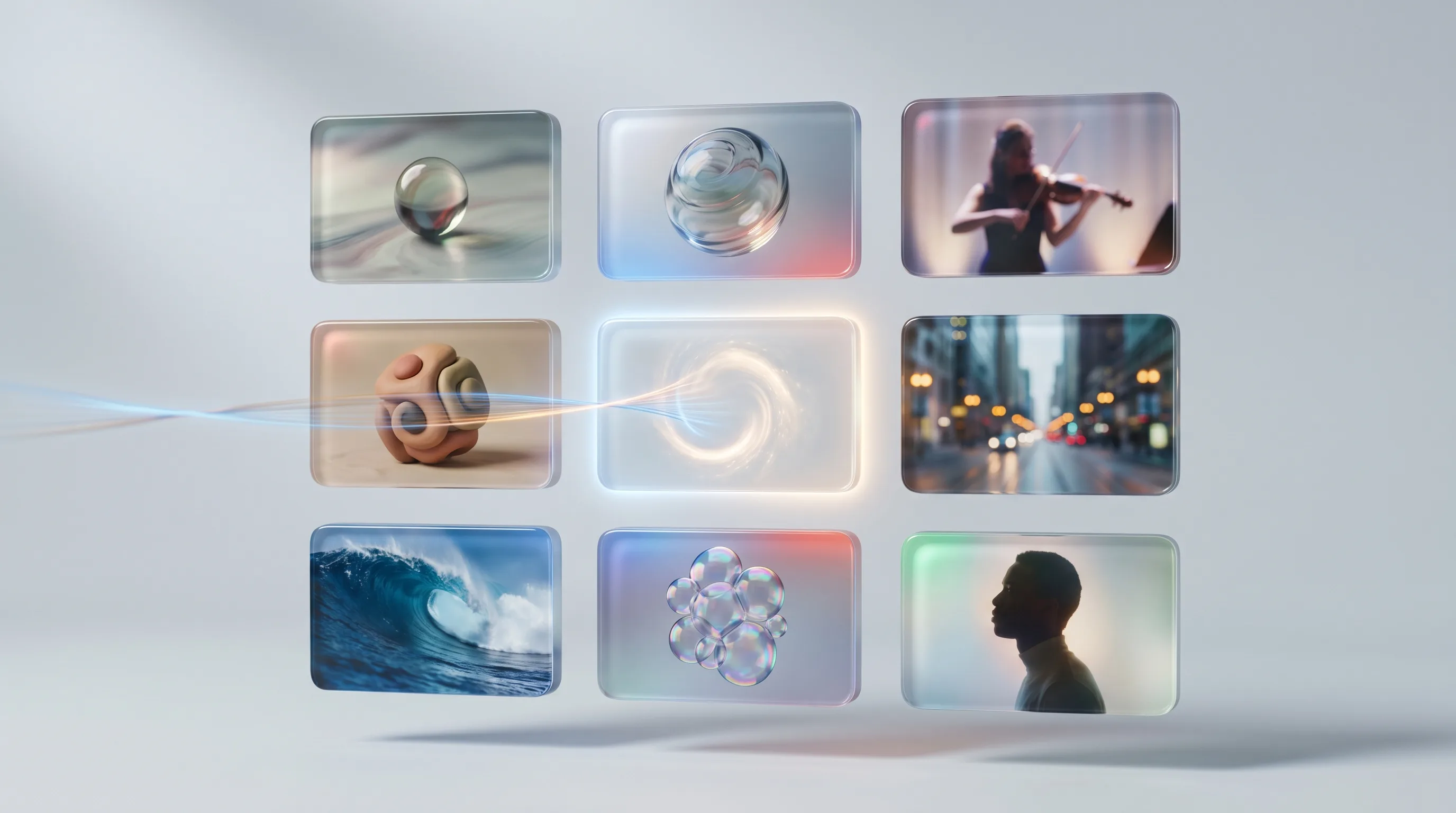
Two weeks after Gemini Omni landed at I/O, Google has done the thing it usually saves for the technical crowd: it published a clean, plain-language showcase of the model actually working. The post is called "9 demos of Gemini Omni and Gemini 3.5 in action", and it is exactly that, nine short clips that show the new video model editing, generating and reasoning its way through real prompts, plus a few looks at the agentic side of Gemini 3.5 Flash.
We have already given you our honest take on Omni and folded it into our full I/O 2026 recap. This piece is different. It is a guided tour of the official demos, with the launch videos embedded so you can watch them in one place, then a round-up of the best independent creator tests on YouTube, because the keynote reel and the real-world result are rarely the same thing. As a Google Premier Partner we get early access, but we would still rather you saw both sides before you form a view.
What Gemini Omni actually is, in one paragraph
Omni is Google's any-to-any video model. You can feed it images, audio, video and text, in any combination, and it generates high-quality video that is grounded in Gemini's real-world knowledge. The headline trick is not generation, plenty of models do that now, it is conversational editing: once you have a clip you change it by talking to it. "Make the sculpture out of bubbles." "Move it to a snowy street." "Now show it from over the shoulder." Each instruction builds on the last while character, physics and lighting stay consistent. That is the bit that has people paying attention.
The 9 official demos, grouped
Google's nine demos split into three buckets. Here is what each one is showing, and why it matters if you make content for a living.
Conversational editing (the headline)
Three of the demos are pure editing. A solid object is turned into a sculpture made of bubbles. A glass sphere is given an impossible, infinitely recursive interior. And a single violinist clip is taken through a multi-turn series, first the stage changes, then what she is wearing, then the camera angle swings to an over-the-shoulder shot, all from plain-English prompts, with her face, posture and grip on the bow holding steady across every edit. This is the capability that separates Omni from the text-to-video tools that shipped before 2026. You are not re-rolling the dice on a new generation each time, you are directing one.
Generation grounded in real physics
A second group leans on Gemini's world knowledge. The recursive glass sphere holds together optically in a way most models cannot manage. A claymation-style explainer demonstrates that Omni understands how a process should look as it unfolds, not just how to make a pretty frame. The selling point here is consistency: believable weight, believable light, believable motion, the things that usually give AI video away in the first half-second.
Gemini 3.5 Flash and the agentic demos
The remaining demos are about Gemini 3.5 Flash rather than Omni, and they are about doing rather than drawing. An "Antigravity" demo auto-categorises a pile of unstructured digital assets. Another spins up an alternative checkout-flow UI in about sixty seconds. There is an information agent quietly monitoring sneaker-release announcements, an interactive visual explainer of a gyroid pattern, a custom-built fitness dashboard, and a Gemini Spark demo stitching Gmail, Docs, Slides and Instacart together into one automation. Google's framing sums the two models up neatly: with Omni, "Gemini's ability to reason meets the ability to create, while Gemini 3.5 is built to help you execute complex, agentic workflows."
What independent creators are finding
Launch reels are made to look good. The more useful signal comes from creators who have paid for access and pointed the model at prompts Google did not choose. A clear picture is already forming on YouTube, so here are the tests worth your time, with our read on each.
Our take: the consensus from the hands-on reviews matches our own experience. The conversational editing is genuinely new and genuinely good. Where it wobbles is the same place every video model wobbles, longer clips, fast hands, and text rendered inside the scene.
Our take: this is the most valuable kind of test, because it is built to fail the model on purpose. Watch how it handles multi-turn edits without drifting. That is the real benchmark for commercial work, not a single cherry-picked generation.
Our take: a useful comparison, because Omni and Veo 3.1 are aimed at slightly different jobs. Veo is still the cleaner pure text-to-video generator for a single hero shot. Omni wins the moment you need to iterate, edit or combine inputs.
Our take: the rival models still trade blows on raw cinematic quality, and on some prompts they win. What none of them match yet is Omni's edit-by-conversation workflow. For a marketing team, that workflow advantage usually beats a marginal quality edge, because it is the difference between one usable asset and twenty near-misses.
Our take: the "end of the moat" framing is a touch dramatic, but the underlying point holds. When editing is a conversation rather than a re-render, the cost of getting to a finished, on-brand clip drops sharply, and that is what actually changes who can make video at scale.
Where it still breaks
None of this means Omni is finished. Across the official demos and the independent tests, the same limits keep showing up, and you should plan around them:
- Length. Quality is strongest in short clips. The longer the generation, the more likely consistency slips.
- On-screen text. Words rendered inside the video are still unreliable. Add your captions, prices and logos in post.
- Hands and fine motion. Fast, detailed hand movement remains the classic tell.
- Brand precision. "Grounded in real-world knowledge" is not the same as "knows your exact product." For anything where the SKU has to be right, composite the real asset rather than trusting the model to invent it.
How we would use this for clients
The temptation with a tool this capable is to flood the feed with cheap AI video. We think that is the wrong move, and it is the fastest way to train your audience to scroll past you. Here is where Omni earns its place instead:
- Concept and storyboard at speed. Turn a rough idea into a watchable draft before anyone books a shoot. Cheaper to kill a bad concept in Omni than on set.
- Variation testing for YouTube and paid social. Spin up genuine creative variants, different openings, settings and angles, and let the data pick the winner rather than the loudest opinion in the room.
- Localisation and reformatting. One hero idea, re-cut and re-framed for Shorts, in-feed and CTV, without re-shooting each placement.
- Explainers. The claymation-style demo is a hint at how good Omni is at "show, do not tell" for a complicated product or service.
The constant across all of those is judgement. The model gives you the raw clip in minutes, the value we add is taste, brand discipline and knowing which fifteen seconds are worth putting media spend behind. If you also want the answer engines to surface your brand, that is a related but separate discipline we cover under GEO and LLM optimisation.
Availability and pricing
Here is where you can actually get it today:
- Gemini Omni Flash is rolling out globally to Google AI Plus, Pro and Ultra subscribers through the Gemini app and Google Flow, and it is free inside YouTube Shorts and the YouTube Create app. Developer and enterprise APIs are coming soon.
- Gemini 3.5 Flash is generally available through Google Antigravity, the Gemini API, Google AI Studio and Android Studio, free in AI Mode in Search, and rolling out in the Gemini app.
- Gemini Spark, the personal agent, is live for Google AI Ultra subscribers in the US first. Information agents and the generative UI search features are slated for summer 2026.
The bottom line
Google's nine demos do a good job of showing the headline, conversational editing that keeps a subject consistent across turns, is real, and it is the most commercially useful thing in the release. The independent creator tests confirm it, while also pointing at the limits Google's reel skips over. For marketing teams the takeaway is not "AI can make video now", that was already true. It is that getting from a rough idea to a finished, on-brand, editable clip just got dramatically cheaper, and the advantage goes to whoever pairs the tool with actual judgement.
If you want to talk about where AI video fits into your 2026 plan, without flooding your feed with forgettable clips, get in touch.